From Lovable prototype to production: what actually changes
Logins, data, payments and tests. The four things every prototype is missing, and how to add them without starting over.
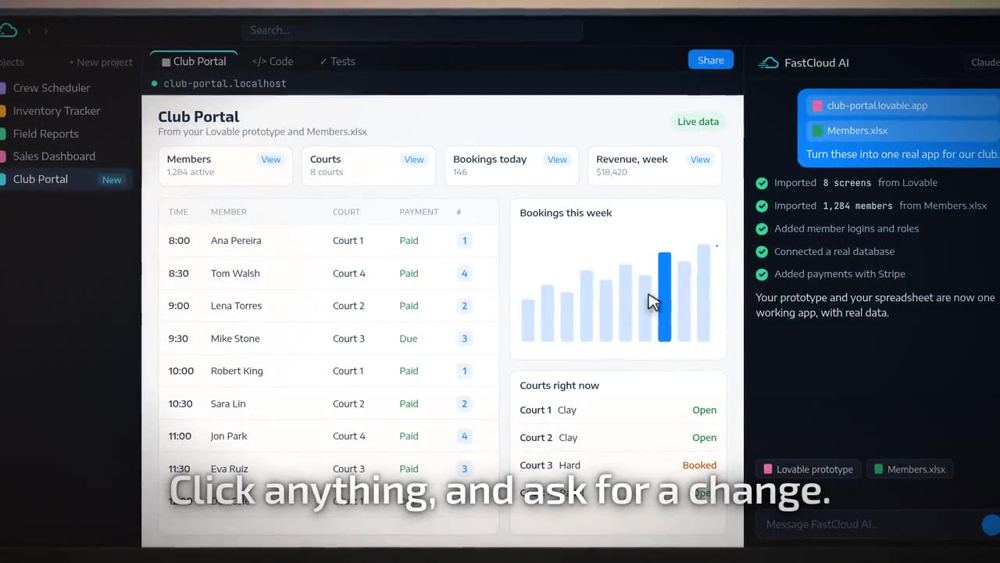
A prototype built with Lovable, Figma or Claude Design shows what an app should do. Production software also has to remember who people are, store real data safely, take payments and keep working after every change. Moving to production means adding four layers: authentication, a real database, payments and automated tests, and then deploying to infrastructure you control. You do not need to rebuild from scratch to get there.
What is the difference between a prototype and a production app?
A prototype answers one question: what should this app look like and do? A production app answers a harder one: can real people rely on it every day? AI builders like Lovable, Figma Make and Claude Design are excellent at the first question. In a few hours you can click through screens that feel finished.
The gap appears the moment real users arrive. The login screen needs to remember accounts. The table of bookings needs to survive a refresh. Someone has to pay. And every new change can quietly break something that worked yesterday.
The four layers every prototype is missing
1. Authentication and roles
Prototypes usually fake the login. Production needs real accounts, password resets, sessions that expire and roles that decide who can see what. A member should see their bookings. An admin should see everyone's. A client invited to review should be able to look but not edit.
2. A real database
Prototype data often lives in the browser or in sample arrays. A production app needs a proper database, such as Postgres, with backups, history and access rules. This is also where data from your existing spreadsheets should end up, cleaned and connected instead of copied by hand.
3. Payments
If the app charges for anything, it needs a payment provider such as Stripe, with receipts, refunds and failed payment handling. A button that says "Pay" is not a payment flow.
4. Tests you can trust
This is the layer most people skip, and the one that decides whether the app survives. Every time you or an AI changes the code, something else can break. Automated tests that click through the app the way a person would are the only reliable way to know it still works.
Do you have to rebuild the app from scratch?
No. The screens, flows and copy in your prototype are valuable work. The right approach keeps them and adds the missing layers underneath. In FastCloud Studio you import the prototype, then ask for the missing pieces in plain language, for example "add member logins with admin and member roles" or "take card payments with Stripe". Studio changes the real code and commits every change to your GitHub repository.
Where should the production app run?
Production apps should run on infrastructure you control. With FastCloud Studio, the app is deployed to your own AWS account, in the region you choose. That means you control the data, the costs are billed by Amazon at published rates, and nothing disappears if you change tools later.
A simple checklist before you launch
- Real accounts, password reset and roles are working.
- All data lives in a real database with backups.
- Payments, receipts and refunds have been tested end to end.
- Every main flow has an automated browser test that passes.
- The code is in your own GitHub repository.
- The app runs in your own cloud account, with a separate staging environment.
Frequently asked questions
Can I take my Lovable app to production?
Yes. Import the Lovable project, add authentication, a real database, payments and automated tests, then deploy it to your own cloud account. You keep the screens and flows you already built.
Do I need to know how to code?
No. In FastCloud Studio you can ask for changes in plain language or by clicking on any element of the live app. The real code is always available if you or your team want it.
What about Figma or Claude Design prototypes?
They work the same way. Studio imports the screens and turns them into a working app with real data, logins and tests.
Send us what you have. We reply within one business day.